
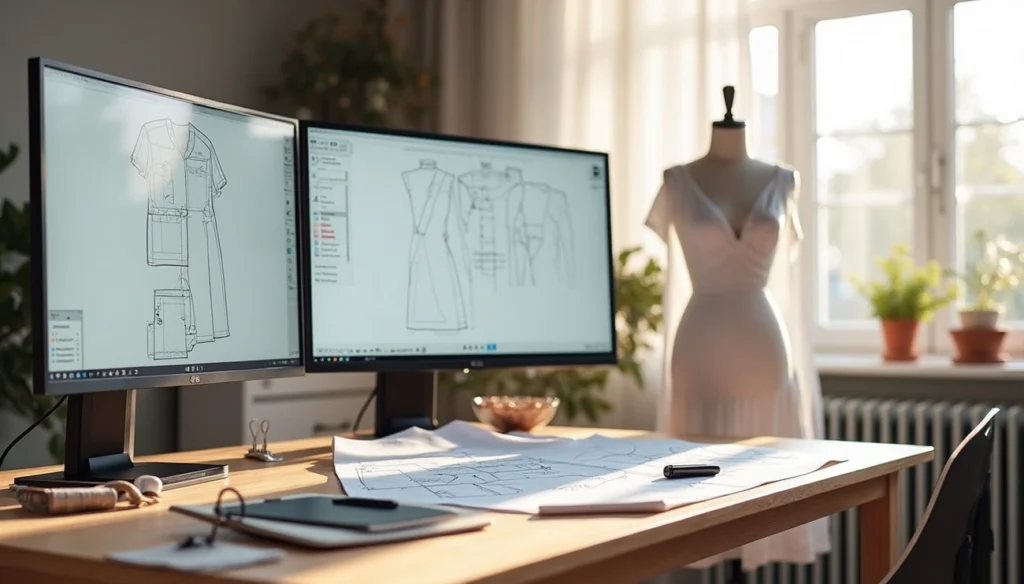

Choosing the right sewing pattern maker software can make or break your design workflow. CAD is short for “computer aided design,” a type of modeling software used in various fields including pattern drafting. However, it’s important to note that not all design programs are true CAD software—Adobe Illustrator and other vector drawing programs, while sometimes called “computer aided drawing,” aren’t technically CAD systems.
When it comes to pattern design software, there are three distinct categories to consider: professional CAD-based software for the fashion industry, scaled-down CAD software for home sewists, and vector drawing software. According to a December 2023 survey of 36 fashion industry professionals with years of digital pattern making experience, Gerber AccuMark emerged as the most popular choice for professional use. With professional options starting at $389 monthly and more affordable alternatives like Adobe Illustrator at $22.99 per month, the price range is as varied as the features offered. In fact, Gerber AccuMark is renowned worldwide as the most user-friendly and advanced garment design software, but finding the perfect pattern drafting software often requires experimentation to match your specific needs.
In this comprehensive guide, we’ll walk you through everything you need to know about selecting the ideal sewing pattern making software for your specific requirements, whether you’re a professional designer, small business owner, or enthusiastic hobbyist.
Understanding the Types of Pattern Making Software
Pattern making software falls into four distinct categories, each designed for specific users and applications. Understanding these differences helps you select a tool that aligns with your specific sewing and design needs.
CAD-based software for industrial use
Professional CAD (Computer-Aided Design) systems form the backbone of industrial pattern making. These sophisticated tools deliver precision and speed essential for mass production environments.
Gerber AccuMark stands as the industry leader, offering comprehensive solutions for pattern creation, grading, and marker making. This software dominates commercial settings due to its robust integration with production systems and advanced fabric simulation capabilities.
Lectra Modaris provides similar professional-grade functionality with particular strengths in 3D prototyping and advanced grading tools. Its specialized focus on virtual prototyping helps designers visualize patterns before physical production begins.
TUKAcad offers an interesting middle ground with professional capabilities at a more accessible price point. It features automatic pattern making capabilities that can generate a complete pattern from a spec sheet with just a few clicks. Additionally, TUKAcad comes with customizable size ranges and pre-loaded silhouette libraries that simplify the pattern creation process.
PAD System rounds out the professional options with flexible tools specifically designed for handling complex patterns. Its strengths lie in data sharing capabilities and integration with cutting systems.
Vector-based software for home and hobby use
Unlike specialized CAD systems, vector-based software provides a more approachable entry point for independent designers and home sewists.
Adobe Illustrator reigns as the most popular vector tool adapted for pattern making. Though not originally designed for this purpose, many home sewing pattern creators utilize Illustrator’s precise drawing tools to create digital patterns. Furthermore, Illustrator lacks specialized sewing functions like automatic dart manipulation or grading, yet compensates with superior graphical capabilities.
Other vector options include CorelDraw and the free alternative Inkscape, which offer similar functionality at different price points. These programs excel at creating clean lines and curves but require users to manually implement pattern-specific functions.
3D simulation tools for virtual fitting
The newest evolution in pattern technology, 3D simulation software enables designers to visualize garments on virtual models before cutting fabric.
CLO 3D excels in realistic fabric visualization, allowing designers to see how materials will drape and move. This capability proves especially valuable for freelance designers who need to demonstrate designs without producing physical samples.
Optitex combines both 2D design and 3D visualization in a single platform, enabling seamless transitions between pattern creation and virtual fitting. Its tension mapping feature helps identify potential fit issues by displaying pressure points where the garment might be too tight or loose.
TUKA3D offers models based on real 3D body scans with animations that show garments in motion. The system visualizes comfort through five different visual analyzes including stretch, pressure, and x-ray views.
Open-source and free pattern drafting software
For those with limited budgets, several capable open-source options exist.
Seamly2D (formerly Valentina) represents the most developed free option, available for Windows, MacOS, and Linux under the GPLv3+ license. It supports both standardized sizing and individual measurement files, making it suitable for both batch production and custom work.
FreeSewing offers an online platform that generates bespoke patterns without tracking or advertising. This open-source project emphasizes privacy and accessibility.
These no-cost alternatives provide basic functionality though typically lack the polished interfaces and comprehensive support found in commercial options. However, they remain sufficient for many hobbyists and small businesses just entering digital pattern creation.
Top 8 Sewing Pattern Maker Software Options
After exploring different categories, let’s examine eight leading pattern making solutions that cover every need—from professional production to hobby use.
Gerber AccuMark: Industry standard for production-ready patterns
Gerber AccuMark stands as a fully integrated CAD suite enabling fashion companies to develop perfectly fitted collections efficiently. With bi-annual updates, users benefit from continuous improvements and advanced pattern tools. The software transforms pattern development through industry-leading applications combining 2D and 3D functionality. Its proportional grading feature proves particularly valuable for lingerie and swimwear production, allowing pieces to be graded equally from stack points using either linear values or percentages.
Lectra Modaris: Advanced grading and 3D prototyping
Lectra Modaris capitalizes on best product development practices, ensuring consistent pattern quality from creation through final approval. Particularly noteworthy is its special dart feature that reduces modification time by 50%, resulting in a 50-90% increase in overall patternmaking speed. The software also excels at managing different units of measurement, guaranteeing size compliance regardless of where production occurs. Its 3D visualization capabilities have advanced significantly, reducing physical prototyping needs by up to 50%.
Optitex: Easier learning curve with 2D/3D integration
Fashion professionals often cite Optitex as more approachable than competitors despite its powerful capabilities. The software combines 2D design and 3D visualization in a single platform, allowing users to visualize true-to-life virtual samples with customizable lighting and shadows. Its innovative tension map feature helps inspect simulated cloth to identify exact tension, distance, and stretch points between garments and avatars.
CLO 3D: Best for 3D visualization and freelance designers
CLO 3D excels among freelancers offering visualization services. Beyond basic pattern creation, it enables designers to showcase fabric textures, drape, and even stitching details without physical samples. Freelancers particularly value its compatibility with multiple file formats and pattern making tools that allow testing different fabrics and pattern adjustments before cutting physical materials.
TUKAcad: Affordable and beginner-friendly CAD software
TUKAcad stands out for its accessibility, with learning editions starting at just $19 monthly. The software offers custom grade rules to standardize brand fit across styles, plus angle grading that provides unmatched curve control for lingerie designers. Moreover, every language interface is included in a single installation, allowing pattern makers to switch to their preferred language without reorganizing their computers.
PAD System: Modular pricing with grading and digitizing
PAD System offers flexible subscription tiers tailored to different experience levels. Their Beginner & Student Basic plan ($15/month) provides pattern functionality with 20-piece and 3-size limitations, while their Professional Use Standard plan ($45/month) removes these restrictions. All plans support multiple file formats including DXF, Gerber, Lectra, Illustrator, HPGL, and ANSI.
Adobe Illustrator: Best for vector-based home pattern design
Though not technically CAD software, Adobe Illustrator remains popular among home sewing pattern creators. Designers typically create patterns by establishing fabric roll width divisions, filling with ground color, then adding repeating elements. Nonetheless, professional pattern makers generally recommend specialized CAD programs over Illustrator for production patterns.
Seamly2D and Valentina: Free open-source alternatives
These related projects emerged from a split in 2017. Both offer parametric pattern drafting based on formulas with customizable measurements for superior sizing flexibility. While Valentina focuses on core pattern-making functions, Seamly2D pursues advanced features including 3D and VR integration. Both remain completely free, community-supported options accessible to hobbyists and small businesses alike.
Comparing Features, Pricing, and Compatibility
Selecting pattern making software requires evaluating several practical factors beyond basic functionality. Let’s compare key aspects that impact your day-to-day pattern creation workflow.
Windows vs Mac support across platforms
Platform compatibility remains a crucial consideration when investing in pattern design software. Most professional CAD-based programs operate primarily on Windows systems. Gerber AccuMark, Lectra Modaris, and TUKAcad function exclusively on Windows computers. Mac users face more limited options, as running these programs requires either Bootcamp or an emulator—both significantly slowing down computer performance.
Conversely, vector-based options offer greater flexibility. Adobe Illustrator works smoothly on both Windows and Mac systems. Optitex similarly supports cross-platform functionality without compromising performance. For budget-conscious sewists, Garment Designer software remains one of the few specialized pattern making programs compatible with both Windows and Macintosh operating systems through their latest OS versions.
Subscription vs one-time pricing models
The industry has shifted dramatically toward subscription-based pricing. This model offers lower initial costs but potentially higher long-term expenses. After just two years, subscription fees often exceed one-time purchase costs.
A cost analysis reveals the financial impact: using a USD 350 one-time purchase software compared against a USD 10 monthly subscription shows the one-time option becoming more cost-effective by the third year. This difference grows substantially over a five-year period.
Currently, pattern making software subscriptions range widely: Gerber AccuMark (USD 219/month), PAD System (USD 15-45/month), Clo3D (USD 50/month), and Adobe Illustrator (USD 22.99/month). TUKAcad offers tiered pricing from USD 19/month for beginners to USD 199/month for professionals.
Grading, marker making, and 3D simulation availability
Advanced pattern functionality varies significantly between platforms. Professional systems typically include all three capabilities—grading, marker making, and 3D simulation. Optitex’s Pattern Design Software combines 2D design with 3D visualization in a single platform, allowing direct visualization of graded patterns.
Marker making capabilities—essential for production efficiency—come standard in Gerber AccuMark and PAD System, whereas they’re limited or absent in vector-based software. Similarly, automatic grading functionality varies substantially, with CAD systems offering predefined grade rules while vector programs require manual adjustments.
DXF export and factory compatibility
Factory compatibility primarily depends on DXF export capabilities. This universal format ensures patterns can be used with industrial cutting equipment. Professional CAD systems export production-ready DXF files, whereas vector software like Adobe Illustrator creates DXF files that factories often cannot use without modification.
DXF export quality matters substantially—many systems generate files containing duplicate or double lines requiring cleanup before production. Advanced export features such as including part numbers, material specifications, and thickness properties in DXF files significantly improve production workflow efficiency.
Choosing the Right Software Based on Your Needs
The perfect sewing pattern maker software varies dramatically based on your specific requirements. Let’s examine the ideal options for different user categories.
For professional pattern makers and manufacturers
Professional pattern makers primarily need industry-standard software that integrates seamlessly with production systems. Gerber AccuMark stands as the most widely used professional option worldwide, offering comprehensive solutions for production-ready patterns. For large-scale fashion brands and manufacturers, advanced tools like Gerber AccuMark, Lectra Modaris, and Optitex remain essential because they provide complete functionality including multiple size grading, automated pattern making, and add-ons for marker making. These robust platforms come at a premium price point, yet deliver crucial factory compatibility features. Consequently, manufacturing professionals should prioritize DXF export quality and integration with cutting systems when selecting software.
For freelance designers and small businesses
Freelance designers and small businesses need cost-effective solutions that still offer professional capabilities. CLO 3D emerges as the top choice for freelancers, costing approximately $50 monthly while providing essential 3D visualization functionality. This allows designers to showcase fabric textures and drape without producing physical samples. TUKAcad also offers an excellent middle ground with its user-friendly interface at more affordable price points, featuring automatic pattern making capabilities. These tools deliver professional results without the substantial investment required for full industrial systems.
For home sewists and hobbyists
Home sewists benefit most from vector-based options. Adobe Illustrator ranks as the preferred choice for home and hobby pattern creation according to industry surveys. Although not specifically designed for pattern making, it provides precision drawing tools at $22.99 monthly. Alternatively, free options like Inkscape offer similar vector drawing capabilities without subscription costs. PatternMaker provides another hobbyist-friendly alternative with dedicated functions for home sewers.
For students and beginners
Students and beginners should focus first on accessibility and learning curve. Many professional software companies offer educational versions – TUKAcad provides learning editions starting at just $19 monthly. Free open-source solutions like Seamly2D (formerly Valentina) present excellent starting points for understanding digital pattern creation fundamentals without financial commitment. In essence, beginners should prioritize intuitive interfaces over advanced features until core pattern-making concepts are mastered.
Expert Tips for Getting Started with Your Chosen Tool
Once you’ve selected your pattern making software, mastering it effectively becomes the next crucial step. Navigating this learning curve requires strategic approaches to training and organization.
Learning resources and tutorials for each software
Initially, seek out specialized courses for your chosen tool. PatternWorkshop offers comprehensive Adobe Illustrator pattern drafting courses with closed captions and downloadable templates. PatternLab provides free tutorials specifically designed for absolute beginners. For Seamly2D users, Minimalist Machinist’s YouTube videos offer excellent starting guidance. Whenever possible, look for tutorials that match your specific software version to avoid compatibility issues.
Digitizing paper patterns into digital format
Digitizing existing paper patterns saves valuable time during the transition to digital workflows. The process typically involves scanning pattern pieces at the correct resolution (150 dpi recommended for accurate sizing). Subsequently, trace the scanned patterns using vector tools to create clean, editable digital versions. For large patterns, sectioning them into scanner-sized pieces works effectively, afterward reassembling them digitally.
Using plugins and extensions in Adobe Illustrator
Obviously, Illustrator’s functionality expands dramatically with pattern-specific plugins. Pattern Creator and Pattern Maker Pro add specialized functionality. IPM-Modelist offers four particularly useful plugins: Segment Tools for measuring curved objects, Seam Allowance Tools for complex allowances, DB Palette for object management, and AIPLOT-Pro for plotter integration.
Backing up and organizing your digital pattern library
Undeniably, establishing a systematic folder structure prevents pattern chaos. Create dedicated main folders with logical subfolders categorized by garment type or designer. Name patterns descriptively, including designer, garment type, and size information. Lastly, maintain regular backups using external drives or cloud storage to protect your valuable pattern collection.
Conclusion
Selecting the right sewing pattern maker software ultimately depends on your specific goals, budget constraints, and technical requirements. Throughout this guide, we’ve examined various options spanning from professional CAD systems like Gerber AccuMark to accessible alternatives like Seamly2D. Certainly, the software landscape offers solutions for everyone—whether you’re a factory-level manufacturer, independent designer, or hobby sewist.
The price-to-functionality ratio remains a crucial consideration. Professional CAD systems deliver comprehensive capabilities but require significant investment, while vector-based programs offer accessibility at lower price points. Additionally, platform compatibility should factor into your decision, especially for Mac users facing more limited options than their Windows counterparts.
Learning curves vary significantly across different software types. Therefore, beginners might benefit from starting with intuitive interfaces before progressing to more advanced systems. Free and open-source alternatives provide excellent starting points without financial commitment, allowing users to understand fundamental digital pattern creation concepts.